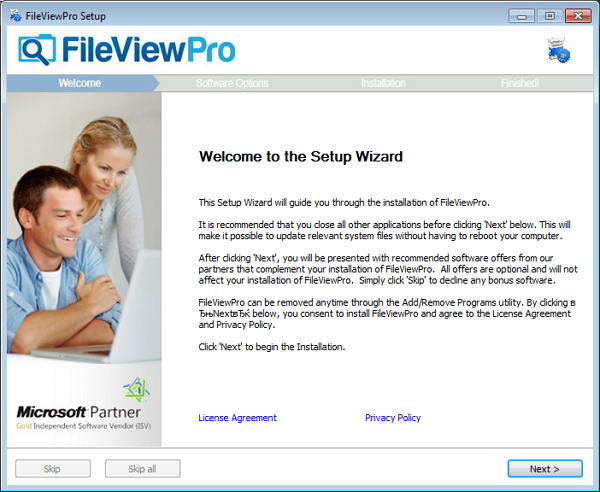
A .zar archive is best understood as a compressed archive used by multiple applications, with one of the most prominent being Zemax OpticStudio’s ZAR archive format for optical designs. For optical engineers, .ZAR is most often seen as a Zemax archive that collects the lens design plus all its related project data so the entire system can be moved or restored in one step. When you loved this post and you want to receive much more information relating to file extension ZAR assure visit our page. Modern workflows use .ZAR as the extension for ZArchive, a zstd-based archive format that packs directories—such as game installations—into a single file while preserving efficient random access for tools like the Xenia emulator. Older compression systems and some game engines reuse .ZAR for Zip-Archiv and custom resource archives, which may rely on algorithms like PKWARE DCL Implode or zlib for their payloads. Because of this variety, .ZAR files are not meant to be edited as plain text; they are binary archive containers that must be interpreted by the program that created them or by tools that explicitly support that particular flavor of .ZAR. If you are unsure what kind of .ZAR you have, letting FileViewPro analyze the file can quickly reveal whether it behaves like an optical-design archive, a modern zstd-based container, or a legacy/game-specific format, and then provide a straightforward way to view or extract its contents.
Compressed files are efficient storage bundles that minimize file size without changing what the files actually contain. Fundamentally, they operate by detecting repetition and structure in the original files and encoding them using fewer bits. As a result, your storage space stretches further and your transfers are completed with less waiting time. A compressed file can contain a single document, an entire folder tree, or even complex software installations, condensed into one archive that takes up less space than the separate files would. This flexibility explains why compressed files show up in so many places, including installers, system backups, shared folders, and large media collections.
The story of compressed files tracks the progress of data compression research and the rise of everyday desktop computing. Early on, academics including Lempel and Ziv created methods such as LZ77 and LZ78, demonstrating that redundancy could be removed without permanently losing information. These ideas eventually led to widely used methods like LZW and DEFLATE, which power many popular compression formats today. In the late 1980s and early 1990s, developers like Phil Katz helped bring file compression to everyday users with tools such as PKZIP, cementing ZIP as a go-to format for compressing and grouping files. Over time, other developers and companies added new formats that focused on higher compression ratios, stronger encryption, or better error recovery, but the basic idea stayed the same: take one or more files, apply an algorithm, and produce a smaller archive that is easier to move and manage.
Under the hood, archives use compression schemes that are typically categorized as either lossless or lossy. Lossless compression preserves the original data bit-for-bit, making it essential for documents, software, databases, and configuration files. Formats such as ZIP, 7z, and many archive-style containers use lossless techniques to ensure that files can be restored exactly as they were. In contrast, lossy compression removes data that algorithms judge to be less noticeable to human eyes or ears, which is why it is widely used in streaming media. Although we often treat a compressed archive and a compressed video or song as different things, they rest on the same basic idea of spotting patterns, removing redundancy, and encoding everything efficiently. Many compressed archives also combine both the act of shrinking the data and packaging multiple files and folders into one unit, turning compression into a tool for both efficiency and organization.
With the growth of high-speed networks and powerful devices, compressed files have found increasingly sophisticated roles. Software distribution is a prime example, where applications are shipped as compressed packages that download quickly and then unpack into their full structure on the user’s device. Game developers bundle textures, sounds, levels, and configuration files into compressed assets to reduce load times and save storage space while keeping updates manageable. For administrators and DevOps teams, compression is tightly woven into tasks like archiving server logs, packaging build artifacts, and moving configuration bundles between machines. Cloud services also rely heavily on compression to cut bandwidth usage and storage costs, which makes it practical to synchronize and replicate large data sets across regions and devices.
Another important dimension of compressed files is their role in archiving, long-term storage, and security. Because they reduce volume, compressed archives allow organizations and individuals to keep years of documents, images, and logs in a manageable footprint. To guard against bit rot or transfer errors, compressed archives often embed mechanisms to confirm that everything inside is still valid. Some formats also support encryption and password protection, allowing sensitive documents to be stored in a compressed file that is both smaller and shielded from unauthorized access. Thanks to these features, compressed archives are now routinely used to safeguard business data, personal information, and intellectual property.
From a user’s point of view, compressed archives make many routine tasks smoother and less error-prone. A single compressed package keeps related files together, which is often much tidier than sending them individually. Archives preserve directory layouts, which prevents confusion about where each file belongs when someone else opens the package. Backup tools frequently use compressed archives so they can capture snapshots of entire folders or systems efficiently. Learning how to open, inspect, and extract compressed archives has therefore become a basic computer skill, not just something for advanced users or IT professionals.
The variety of archive extensions can easily become confusing if you try to match each one with a separate application. This is where an all-in-one viewer such as FileViewPro becomes especially valuable, because it is designed to understand many different compressed formats. By centralizing the process into one application, FileViewPro makes it easier to browse archive contents, preview files, and choose exactly which items to restore. For anyone who regularly downloads software, works with shared projects, or receives large bundles of documents, having a dependable way to open and manage compressed files through FileViewPro turns compression technology into something practical, convenient, and easy to trust.
In the future, compression technology will keep changing alongside faster hardware and new ways of working with data. Ongoing research aims to squeeze more out of data while still keeping compression and decompression fast enough for real-time applications. At the same time, the everyday purpose of compressed files remains familiar: we still need to move large information through limited connections and keep our devices from filling up too quickly. From personal use to professional environments, compressed archives quietly support tasks that would otherwise be slow, awkward, or expensive. By pairing advanced compression formats with an accessible viewer like FileViewPro, the benefits of smaller, smarter files become available to every user, not just technical experts.
I was recommended this blog by my cousin. I’m not sure whether this post is written by him as nobody else know such detailed about my trouble. You’re incredible! Thanks!
hello there and thank you for your information – I’ve certainly picked up anything new from right here. I did however expertise some technical issues using this site, as I experienced to reload the site a lot of times previous to I could get it to load correctly. I had been wondering if your web host is OK? Not that I’m complaining, but sluggish loading instances times will often affect your placement in google and could damage your quality score if advertising and marketing with Adwords. Anyway I am adding this RSS to my email and could look out for much more of your respective exciting content. Ensure that you update this again soon.