File extension “.BVF” file represents an special recorded-audio format used by iRock recorders created by Interscape for use with the irock! 100 Series Voice & Audio Manager application that ships with the device. Instead of being a general-purpose format like MP3 or WAV, a BVF file usually contains proprietary compressed voice recordings captured on the iRock hardware, and is meant to be managed and played back through the companion Windows software rather than through ordinary media players. Current file-type references list BVF as a legacy audio format with a low popularity rating, reflecting that it is seen almost exclusively on aging iRock voice-recorder collections. The most dependable workflow is to load .BVF recordings into the official iRock manager, but when that is not available, a general-purpose viewer (for example FileViewPro) may be able to recognize the iRock Digital Voice Recorder Audio Data type and help you convert the underlying audio into standard formats for easier use.
Audio files quietly power most of the sound in our digital lives. Every song you stream, podcast you binge, voice note you send, or system alert you hear is stored somewhere as an audio file. Fundamentally, an audio file is nothing more than a digital package that stores sound information. The original sound exists as a smooth analog wave, which a microphone captures and a converter turns into numeric data using a method known as sampling. Your computer or device measures the sound wave many times per second, storing each measurement as digital values described by sample rate and bit depth. Combined, these measurements form the raw audio data that you hear back through speakers or headphones. The job of an audio file is to arrange this numerical information and keep additional details like format, tags, and technical settings.
The story of audio files follows the broader history of digital media and data transmission. In the beginning, most work revolved around compressing voice so it could fit through restricted telephone and broadcast networks. Standards bodies such as MPEG, together with early research labs, laid the groundwork for modern audio compression rules. During the late 80s and early 90s, Fraunhofer IIS engineers in Germany developed the now-famous MP3 standard that reshaped digital music consumption. MP3 could dramatically reduce file sizes by discarding audio details that human ears rarely notice, making it practical to store and share huge music libraries. Alongside MP3, we saw WAV for raw audio data on Windows, AIFF for professional and Mac workflows, and AAC rising as a more efficient successor for many online and mobile platforms.
As technology progressed, audio files grew more sophisticated than just basic sound captures. Most audio formats can be described in terms of how they compress sound and how they organize that data. With lossless encoding, the audio can be reconstructed exactly, which makes formats like FLAC popular with professionals and enthusiasts. On the other hand, lossy codecs such as MP3, AAC, and Ogg Vorbis intentionally remove data that listeners are unlikely to notice to save storage and bandwidth. You can think of the codec as the language of the audio data and the container as the envelope that carries that data and any extra information. This is why an MP4 file can hold AAC sound, multiple tracks, and images, and yet some software struggles if it understands the container but not the specific codec used.
Once audio turned into a core part of daily software and online services, many advanced and specialized uses for audio files emerged. Music producers rely on DAWs where one project can call on multitrack recordings, virtual instruments, and sound libraries, all managed as many separate audio files on disk. For movies and TV, audio files are frequently arranged into surround systems, allowing footsteps, dialogue, and effects to come from different directions in a theater or living room. In gaming, audio files must be optimized for low latency so effects trigger instantly; many game engines rely on tailored or proprietary formats to balance audio quality with memory and performance demands. Spatial audio systems record and reproduce sound as a three-dimensional sphere, helping immersive media feel more natural and convincing.
Beyond music, films, and games, audio files are central to communications, automation, and analytics. Voice assistants and speech recognition systems are trained on massive collections of recorded speech stored as audio files. When you join a video conference or internet phone call, specialized audio formats keep speech clear even when the connection is unstable. Customer service lines, court reporting, and clinical dictation all generate recordings that must be stored, secured, and sometimes processed by software. Security cameras, smart doorbells, and baby monitors also create audio alongside video, generating files that can be reviewed, shared, or used as evidence.
A huge amount of practical value comes not just from the audio data but from the tags attached to it. Modern formats allow details like song title, artist, album, track number, release year, and even lyrics and cover art to be embedded directly into the file. Standards such as ID3 tags for MP3 files or Vorbis comments for FLAC and Ogg formats define how this data is stored, making it easier for media players to present more than just a filename. When metadata is clean and complete, playlists, recommendations, and search features all become far more useful. However, when files are converted or moved, metadata can be lost or corrupted, so having software that can display, edit, and repair tags is almost as important as being able to play the audio itself.
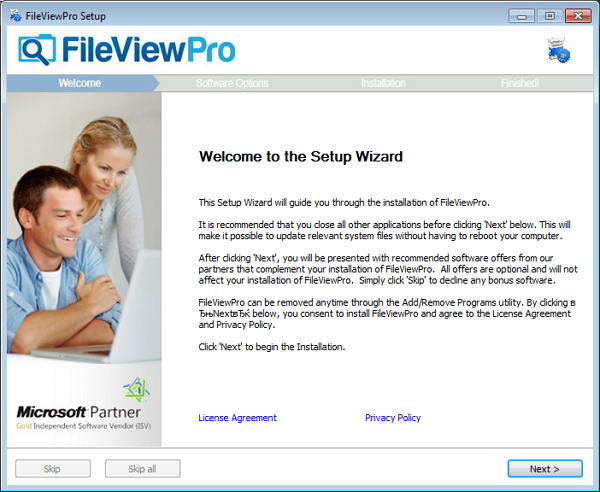
The sheer variety of audio standards means file compatibility issues are common in day-to-day work. A legacy device or app might recognize the file extension but fail to decode the audio stream inside, leading to errors or silence. Shared audio folders for teams can contain a mix of studio masters, preview clips, and compressed exports, all using different approaches to encoding. At that point, figuring out what each file actually contains becomes as important as playing it. By using FileViewPro, you can quickly preview unfamiliar audio files, inspect their properties, and avoid installing new apps for each extension you encounter. If you treasured this article and you simply would like to obtain more info regarding BVF file recovery i implore you to visit our webpage. Instead of juggling multiple programs, you can use FileViewPro to check unknown files, view their metadata, and often convert them into more convenient or standard formats for your everyday workflow.
Most people care less about the engineering details and more about having their audio play reliably whenever they need it. Every familiar format represents countless hours of work by researchers, standards bodies, and software developers. The evolution of audio files mirrors the rapid shift from simple digital recorders to cloud services, streaming platforms, and mobile apps. By understanding the basics of how audio files work, where they came from, and why so many different types exist, you can make smarter choices about how you store, convert, and share your sound. FileViewPro helps turn complex audio ecosystems into something approachable, so you can concentrate on the listening experience instead of wrestling with formats.
It’s the best time to make some plans for the long run and it’s time to be happy. I have learn this publish and if I may just I want to counsel you few fascinating things or suggestions. Perhaps you could write next articles referring to this article. I desire to read even more issues approximately it!
What you posted was very logical. However, what about this? what if you were to create a killer post title? I am not saying your content isn’t solid, however what if you added a title that grabbed a person’s attention? I mean How To Easily Open BVF Files With FileViewPro is kinda boring. You might peek at Yahoo’s front page and watch how they create article headlines to get people to open the links. You might try adding a video or a pic or two to grab readers interested about everything’ve written. Just my opinion, it would make your website a little livelier.
Very nice post. I just stumbled upon your blog and wanted to say that I’ve really enjoyed browsing your blog posts. After all I’ll be subscribing to your rss feed and I hope you write again soon!
It’s hard to find knowledgeable people on this subject, however, you sound like you know what you’re talking about! Thanks
Appreciate this post. Let me try it out.