A file ending in .ZAR is most commonly a compressed archive used by multiple applications, with one of the most prominent being Zemax OpticStudio’s ZAR archive format for optical designs. Within the Zemax OpticStudio ecosystem, .ZAR serves as a project archive that wraps the optical model and all required configuration and analysis files into one portable container. In contemporary gaming and tooling, .ZAR often marks a ZArchive file produced by the zarchive utility, where zstd compression and random-access design make it suitable for large folders, including game ROM directories. Historically, .ZAR has also appeared as a Zip-Archiv format using PKWARE DCL Implode compression and in certain game-specific archives that store zlib-compressed resources, so not every .ZAR file follows the same structure or compression scheme. In practice, a .ZAR file is always an application-specific archive whose contents only make sense once they are parsed and decompressed by compatible tools. If you are unsure what kind of .ZAR you have, letting FileViewPro analyze the file can quickly reveal whether it behaves like an optical-design archive, a modern zstd-based container, or a legacy/game-specific format, and then provide a straightforward way to view or extract its contents.
Compressed archives are compact file packages that reduce the size of the information they hold while keeping it organized and easy to handle. At their core, they work by analyzing patterns and redundancy in data and then representing that information in a more efficient way. Because of this, the same drive can hold more information and uploads and downloads finish sooner. Whether it is one spreadsheet or a full collection of mixed files and subfolders, everything can be bundled into a single compressed package, condensed into one archive that takes up less space than the separate files would. That is why almost every workflow, from simple file sharing to professional data handling, relies on compressed files somewhere along the way.
The story of compressed files tracks the progress of data compression research and the rise of everyday desktop computing. During the 1970s–1980s, pioneers like Abraham Lempel and Jacob Ziv developed famous schemes like LZ77 and LZ78, which showed that repeating patterns in data could be encoded more compactly and reconstructed perfectly later. Those concepts evolved into well-known algorithms like LZW and DEFLATE that sit behind the scenes of many familiar compressed files. In the late 1980s and early 1990s, developers like Phil Katz helped bring file compression to everyday users with tools such as PKZIP, cementing ZIP as a go-to format for compressing and grouping files. Over time, other developers and companies added new formats that focused on higher compression ratios, stronger encryption, or better error recovery, but the basic idea stayed the same: take one or more files, apply an algorithm, and produce a smaller archive that is easier to move and manage.
On a technical level, compressed files rely on one or more algorithms that are usually described as lossless or lossy. Lossless compression preserves the original data bit-for-bit, making it essential for documents, software, databases, and configuration files. Should you loved this article and you wish to get details about ZAR file software generously visit the internet site. Formats such as ZIP, 7z, and many archive-style containers use lossless techniques to ensure that files can be restored exactly as they were. On the other hand, lossy methods trade some detail for dramatic size savings, most commonly in music, film, and visual content. Although we often treat a compressed archive and a compressed video or song as different things, they rest on the same basic idea of spotting patterns, removing redundancy, and encoding everything efficiently. Beyond just smaller size, archives also act as containers that protect folder structures and metadata in one place.
With the growth of high-speed networks and powerful devices, compressed files have found increasingly sophisticated roles. One major use case is software delivery: installers and app bundles are often compressed so users can get them faster and then expand them locally. Game developers bundle textures, sounds, levels, and configuration files into compressed assets to reduce load times and save storage space while keeping updates manageable. Operations teams routinely compress old logs, database dumps, and configuration snapshots so they are easy to store and transfer. In the cloud, compression plays a quiet but crucial role in keeping large-scale storage and data transfer efficient enough to be affordable and responsive.
Compressed files are equally valuable when you are preserving information for the long haul or protecting it from prying eyes. With compression, large historical datasets and personal collections that would otherwise be unwieldy become easy to back up and move. Many archive formats include integrity checks so users can verify whether the contents are still intact or have been corrupted over time. Some formats also support encryption and password protection, allowing sensitive documents to be stored in a compressed file that is both smaller and shielded from unauthorized access. The result is that a single compressed file can act as both a vault and a space-saver for important content.
For everyday computer users, compressed files also simplify workflows and collaboration. A single compressed package keeps related files together, which is often much tidier than sending them individually. Archives preserve directory layouts, which prevents confusion about where each file belongs when someone else opens the package. Backup tools frequently use compressed archives so they can capture snapshots of entire folders or systems efficiently. As a result, knowing how to deal with compressed files is now as fundamental as understanding how to copy and paste or move files between folders.
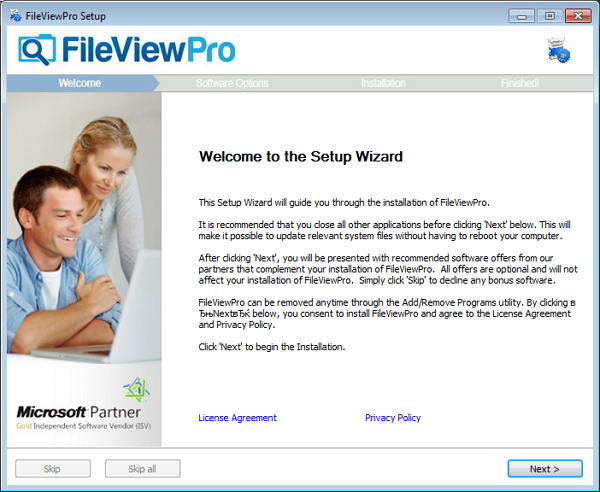
Because so many different compression formats exist, each with its own structure and sometimes its own features, users often need a straightforward way to open and work with them without worrying about which tool created the file. A utility like FileViewPro helps solve this problem by recognizing a wide range of compressed file types and presenting their contents in a clear, user-friendly interface. Rather than installing multiple separate decompression tools, users can rely on a single solution that lets them quickly see what is inside, extract only what they need, and avoid damaging or misplacing important files. Whether you are a casual user, a power user, or somewhere in between, tools like FileViewPro take the complexity out of dealing with compressed files so you can focus on the content rather than the format.
In the future, compression technology will keep changing alongside faster hardware and new ways of working with data. Researchers and developers are constantly working on algorithms that deliver stronger compression with lower processing overhead, which is crucial for streaming, gaming, and large-scale cloud workloads. Despite all the innovation, the core goal has not changed; it is still about making big things smaller and more manageable. In every scenario, from home PCs to enterprise servers, compressed files make data easier to move, store, and protect. In practice, this means you can enjoy the speed and efficiency of compressed files while letting FileViewPro handle the details in the background.
Thank you, I’ve just been looking for info approximately this topic for a while and yours is the greatest I have discovered till now. But, what in regards to the conclusion? Are you sure concerning the source?