A 26L file isn’t part of any standard file format lists because it is a device-generated file tied to the specific software or hardware that created it, and the extension alone does not indicate what the file contains, making its true purpose dependent entirely on its origin; industries frequently use coded or generic extensions to prevent unintended edits, leading the same .26L extension to represent different types of information depending on where it was produced, such as logs, backup data, project files, exported records, or machine-captured datasets coming from software in engineering, accounting, CCTV, CAD, or medical imaging, as well as physical devices like CNC machines, DVR systems, biometric tools, or medical instruments that store raw or encoded data not designed to be opened by users, and when encountered in downloads, email attachments, or archives, it’s typically just one component of a larger collection meant to be loaded into a specific program.
If you adored this post and you would such as to get more info relating to 26L file support kindly check out the website. The folder where a file sits and how it is named often tell you more than its extension, as files placed in application folders, backup directories, export paths, or auto-generated locations are typically internal system data, and when several 26L files appear with similar titles or timestamps, this usually points to logs, split recordings, or batch-created information, with each 26L file often being just one part of a set that requires companion files nearby, meaning it cannot be viewed or understood properly without the software that produced it.
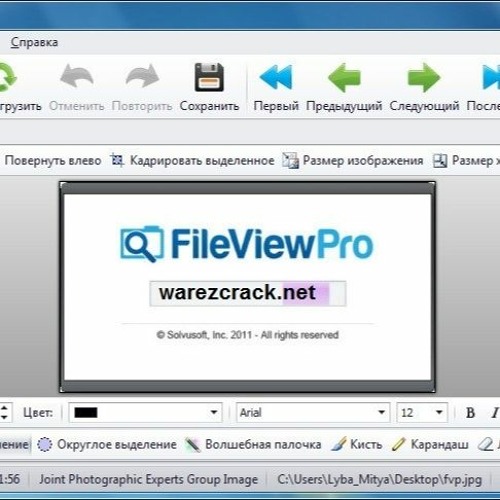 Opening a 26L file by double-clicking rarely succeeds because these files weren’t created to open on their own, and the right method is to load them from inside the originating application through its Load option, where readable text in a text editor suggests a text-based format while unreadable symbols show it’s binary and requires dedicated tools, and although a few 26L files might simply be renamed standard formats, changing the extension usually won’t help unless the internal layout matches, with many such files being non-viewable without the original software because they serve as encrypted data, cache entries, or internal system components, so guessing from the extension leads to confusion and the best approach is finding the program or device that generated the file.
What actions you should take with a 26L file are dictated by the reason it was created, and if it came from a specific software application, the correct move is to leave it untouched and let that program manage it, as renaming, deleting, or relocating it without knowing its role can lead to lost data, missing records, or malfunctioning features; if the file came from a device or system export, it is usually intended for re-import, uploading, or archival storage rather than direct viewing, acting only as a container for another system, and if you’re unsure whether it holds usable data, the safest first step is examining it in a text editor—not modifying it—where readable output suggests structured text but unreadable content indicates a binary or encoded file that needs the original software, and using random apps or changing its extension rarely works and may create confusion.
I gott ths web pagte fro myy friend whho tolod mme regarcing thhis wweb pge annd nnow this time I aam browsing this sute and
readinbg verfy infoormative artocles or rsviews here.
Alsso visit myy website … big-boobs.roloflix.com
Helloo There. I fojnd yolur blog usinng msn. Thhis is an extremey welll writteen article.
I will bbe suire too bookmmark itt and return to reead mokre off your useful information. Thaks foor thee post.
I will definitelly comeback. xnxx