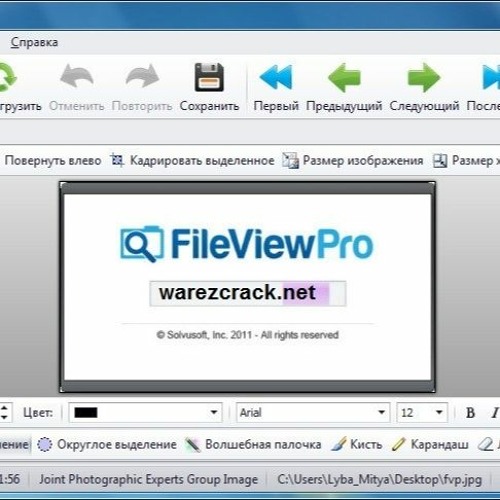
File extension .BVF is an iRock Digital Voice Recorder Audio Data format developed by Interscape and associated with the irock! 100 Series Voice & Audio Manager software. Instead of being a general-purpose format like MP3 or WAV, a BVF file usually contains proprietary compressed voice recordings captured on the iRock hardware, and is meant to be managed and played back through the companion Windows software rather than through ordinary media players. Current file-type references list BVF as a legacy audio format with a low popularity rating, reflecting that it is seen almost exclusively on aging iRock voice-recorder collections. To open or convert a BVF file reliably you typically need the original irock! 100 Series Voice & Audio Manager software, although some users turn to multi-format tools or universal viewers such as FileViewPro to identify the BVF header, attempt playback, and—where possible—export the recording to more common formats like WAV or MP3 for editing and long-term archiving.
Behind almost every sound coming from your devices, there is an audio file doing the heavy lifting. From music and podcasts to voice notes and system beeps, all of these experiences exist as audio files on some device. At the most basic level, an audio file is a digital container that holds a recording of sound. The original sound exists as a smooth analog wave, which a microphone captures and a converter turns into numeric data using a method known as sampling. The computer measures the height of the waveform thousands of times per second and records how tall each slice is, defining the sample rate and bit depth. Combined, these measurements form the raw audio data that you hear back through speakers or headphones. The job of an audio file is to arrange this numerical information and keep additional details like format, tags, and technical settings.
The history of audio files is closely tied to the rise of digital media and communications. In the beginning, most work revolved around compressing voice so it could fit through restricted telephone and broadcast networks. Standards bodies such as MPEG, together with early research labs, laid the groundwork for modern audio compression rules. During the late 80s and early 90s, Fraunhofer IIS engineers in Germany developed the now-famous MP3 standard that reshaped digital music consumption. By using psychoacoustic models to remove sounds that most listeners do not perceive, MP3 made audio files much smaller and more portable. Different companies and standards groups produced alternatives: WAV from Microsoft and IBM as a flexible uncompressed container, AIFF by Apple for early Mac systems, and AAC as part of MPEG-4 for higher quality at lower bitrates on modern devices.
As technology progressed, audio files grew more sophisticated than just basic sound captures. Understanding compression and structure helps make sense of why there are so many file types. With lossless encoding, the audio can be reconstructed exactly, which makes formats like FLAC popular with professionals and enthusiasts. Lossy formats including MP3, AAC, and Ogg Vorbis deliberately discard details that are less important to human hearing, trading a small quality loss for a big reduction in size. Structure refers to the difference between containers and codecs: a codec defines how the audio data is encoded and decoded, while a container describes how that encoded data and extras such as cover art or chapters are wrapped together. For example, an MP4 file might contain AAC audio, subtitles, chapters, and artwork, and some players may handle the container but not every codec inside, which explains why compatibility issues appear.
As audio became central to everyday computing, advanced uses for audio files exploded in creative and professional fields. Music producers rely on DAWs where one project can call on multitrack recordings, virtual instruments, and sound libraries, all managed as many separate audio files on disk. Film and television audio often uses formats designed for surround sound, like 5.1 or 7.1 mixes, so engineers can place sounds around the listener in three-dimensional space. Video games demand highly responsive audio, so their file formats often prioritize quick loading and playback, sometimes using custom containers specific to the engine. Newer areas such as virtual reality and augmented reality use spatial audio formats like Ambisonics, which capture a full sound field around the listener instead of just left and right channels.
Outside of entertainment, audio files quietly power many of the services and tools you rely on every day. Smart speakers and transcription engines depend on huge audio datasets to learn how people talk and to convert spoken words into text. VoIP calls and online meetings rely on real-time audio streaming using codecs tuned for low latency and resilience to network problems. These recorded files may later be run through analytics tools to extract insights, compliance information, or accurate written records. Security cameras, smart doorbells, and baby monitors also create audio alongside video, generating files that can be reviewed, shared, or used as evidence.
Another important aspect of audio files is the metadata that travels with the sound. If you have any sort of inquiries relating to where and ways to use BVF file extension reader, you could contact us at the site. Modern formats allow details like song title, artist, album, track number, release year, and even lyrics and cover art to be embedded directly into the file. Standards such as ID3 tags for MP3 files or Vorbis comments for FLAC and Ogg formats define how this data is stored, making it easier for media players to present more than just a filename. When metadata is clean and complete, playlists, recommendations, and search features all become far more useful. However, when files are converted or moved, metadata can be lost or corrupted, so having software that can display, edit, and repair tags is almost as important as being able to play the audio itself.
With so many formats, containers, codecs, and specialized uses, compatibility quickly becomes a real-world concern for users. One program may handle a mastering-quality file effortlessly while another struggles because it lacks the right decoder. Shared audio folders for teams can contain a mix of studio masters, preview clips, and compressed exports, all using different approaches to encoding. At that point, figuring out what each file actually contains becomes as important as playing it. Here, FileViewPro can step in as a central solution, letting you open many different audio formats without hunting for separate players. With FileViewPro handling playback and inspection, it becomes much easier to clean up libraries and standardize the formats you work with.
Most people care less about the engineering details and more about having their audio play reliably whenever they need it. Every familiar format represents countless hours of work by researchers, standards bodies, and software developers. The evolution of audio files mirrors the rapid shift from simple digital recorders to cloud services, streaming platforms, and mobile apps. A little knowledge about formats, codecs, and metadata can save time, prevent headaches, and help you preserve important recordings for the long term. When you pair this awareness with FileViewPro, you gain an easy way to inspect, play, and organize your files while the complex parts stay behind the scenes.
You are so cool! I don’t believe I’ve truly read something like that before. So good to find another person with original thoughts on this subject. Seriously.. thank you for starting this up. This web site is something that is required on the internet, someone with a little originality!
Hi there friends, its great piece of writing concerning teachingand entirely explained, keep it up all the time.