A .zprf file is primarily documented as a configuration file for ZipIt, an archival utility that ran on classic Mac OS and macOS. Here, .ZPRF acts as a small container for ZipIt’s preferences, themes, and behavior flags, so the app opens exactly the way the user left it. Some modern file catalogs also associate .ZPRF with ZBrush, treating it as a variant of the ZBrush project or model file format that shares structure with the standard .ZPR scene files. When treated as a ZBrush format, .ZPRF is effectively a project container that keeps the state of a sculpt or scene—including meshes, materials, and camera settings—intact for later editing. In practical terms, this means .ZPRF is not a generic document or media file but a proprietary container or settings file that really only makes sense to the software that created it. The safest approach is to load .ZPRF files in their native application—ZipIt for legacy Mac preferences or ZBrush for model projects—although a universal viewer like FileViewPro can first analyze an unknown .ZPRF, reveal its general type, and make it easier to decide which dedicated program you actually need
Compressed files are special file containers that shrink data so it is faster to move, store, and share. Behind the scenes, they function by looking for repeating patterns and unnecessary duplication so the same information can be written in a shorter form. This allows users to pack more into the same disk space or send large sets of files faster over the internet. A compressed file can contain a single document, an entire folder tree, or even complex software installations, all wrapped into one smaller file than the originals. That is why almost every workflow, from simple file sharing to professional data handling, relies on compressed files somewhere along the way.
The history of compressed files is closely tied to the evolution of data compression algorithms and the growth of personal computers. Early on, academics including Lempel and Ziv created methods such as LZ77 and LZ78, which showed that repeating patterns in data could be encoded more compactly and reconstructed perfectly later. Those concepts evolved into well-known algorithms like LZW and DEFLATE that sit behind the scenes of many familiar compressed files. In the late 1980s and early 1990s, developers like Phil Katz helped bring file compression to everyday users with tools such as PKZIP, which popularized the ZIP format and established a simple way to bundle and shrink files on early systems. Over time, other developers and companies added new formats that focused on higher compression ratios, stronger encryption, or better error recovery, but the basic idea stayed the same: take one or more files, apply an algorithm, and produce a smaller archive that is easier to move and manage.
From a technical perspective, compression methods fall broadly into two families: lossless and lossy. With lossless compression, nothing is permanently thrown away, so it is safe for any information where accuracy matters. Common archive types like ZIP and 7z are built around lossless algorithms so that unpacking the archive gives you an exact duplicate of the source files. On the other hand, lossy methods trade some detail for dramatic size savings, most commonly in music, film, and visual content. Even when the formats look different on the surface, all compression is still about capturing structure and similarity so files occupy fewer bytes. In most archive formats, compression is tightly integrated with packaging, so you can both reduce size and preserve a complete directory layout inside a single file.
Improved hardware and connectivity did not make compression obsolete; instead, they turned archives into essential building blocks in more complex workflows. If you beloved this article and you would like to receive much more information concerning ZPRF file viewer software kindly pay a visit to our own web page. Today, many programs reach end users as compressed archives that are extracted during installation. In gaming and multimedia, massive collections of images, audio, and data can be wrapped into compressed resource files that engines can stream and update efficiently. In system administration and DevOps, compressed archives are indispensable for log rotation, backups, and automated deployment workflows. Cloud services also rely heavily on compression to cut bandwidth usage and storage costs, which makes it practical to synchronize and replicate large data sets across regions and devices.
Beyond everyday transfers, compression has become a backbone for serious archival and security-focused workflows. Because they reduce volume, compressed archives allow organizations and individuals to keep years of documents, images, and logs in a manageable footprint. To guard against bit rot or transfer errors, compressed archives often embed mechanisms to confirm that everything inside is still valid. Some formats also support encryption and password protection, allowing sensitive documents to be stored in a compressed file that is both smaller and shielded from unauthorized access. Thanks to these features, compressed archives are now routinely used to safeguard business data, personal information, and intellectual property.
For everyday computer users, compressed files also simplify workflows and collaboration. Instead of sending dozens of separate attachments, you can place them in a folder, compress it, and share a single smaller archive that is faster to upload and download. Archives preserve directory layouts, which prevents confusion about where each file belongs when someone else opens the package. In many cases, applications and support tools automatically generate compressed files when exporting projects, collecting log bundles, or preparing backups. As a result, knowing how to deal with compressed files is now as fundamental as understanding how to copy and paste or move files between folders.
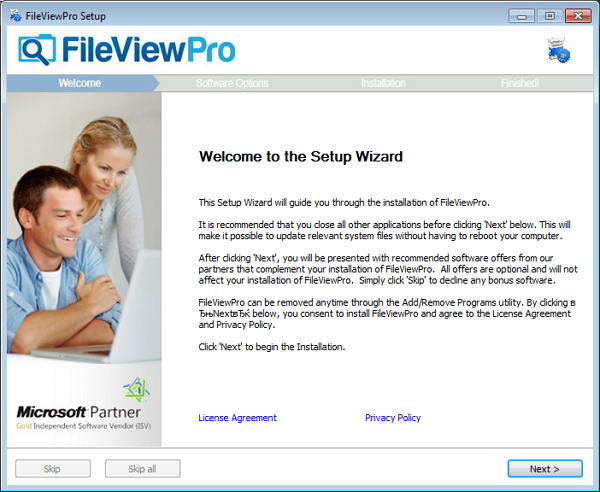
Because so many different compression formats exist, each with its own structure and sometimes its own features, users often need a straightforward way to open and work with them without worrying about which tool created the file. Instead of guessing which program to use, you can rely on FileViewPro to identify and open the archive for you. Rather than installing multiple separate decompression tools, users can rely on a single solution that lets them quickly see what is inside, extract only what they need, and avoid damaging or misplacing important files. Whether you are a casual user, a power user, or somewhere in between, tools like FileViewPro take the complexity out of dealing with compressed files so you can focus on the content rather than the format.
In the future, compression technology will keep changing alongside faster hardware and new ways of working with data. Researchers and developers are constantly working on algorithms that deliver stronger compression with lower processing overhead, which is crucial for streaming, gaming, and large-scale cloud workloads. Despite all the innovation, the core goal has not changed; it is still about making big things smaller and more manageable. In every scenario, from home PCs to enterprise servers, compressed files make data easier to move, store, and protect. With the help of FileViewPro to open, explore, and extract these archives, users can take full advantage of compression without needing to understand the complex mathematics behind it, turning a powerful technical concept into a simple, everyday tool.
Hey are using WordPress for your site platform? I’m new to the blog world but I’m trying to get started and create my own. Do you need any coding expertise to make your own blog? Any help would be really appreciated!
It’s truly a great and helpful piece of information. I’m glad that you simply shared this helpful info with us. Please keep us up to date like this. Thank you for sharing.
If you are going for most excellent contents like myself, only go to see this website daily as it offers feature contents, thanks
Greate post. Keep writing such kind of info on your page. Im really impressed by it.
Hello there, You have done a fantastic job. I’ll certainly digg it and for my part suggest to my friends. I am sure they will be benefited from this web site.
I’m very happy to uncover this page. I need to to thank you for ones time due to this wonderful read!! I definitely loved every part of it and i also have you book marked to look at new things in your site.
I am really impressed with your writing skills as well as with the layout on your blog. Is this a paid theme or did you customize it yourself? Either way keep up the excellent quality writing, it’s rare to see a great blog like this one nowadays.
My partner and I stumbled over here by a different website and thought I might check things out. I like what I see so now i am following you. Look forward to checking out your web page yet again.
Thank you, I’ve just been searching for information about this subject for ages and yours is the best I’ve came upon till now. But, what about the conclusion? Are you positive concerning the supply?
We absolutely love your blog and find a lot of your post’s to be exactly what I’m looking for. can you offer guest writers to write content to suit your needs? I wouldn’t mind producing a post or elaborating on most of the subjects you write regarding here. Again, awesome blog!
you’re really a excellent webmaster. The site loading speed is incredible. It sort of feels that you’re doing any distinctive trick. Moreover, The contents are masterwork. you’ve done a wonderful process on this matter!
I needed to thank you for this wonderful read!! I certainly enjoyed every little bit of it. I’ve got you book marked to look at new things you post…
Hello, Neat post. There is a problem together with your site in internet explorer, may test this? IE nonetheless is the marketplace chief and a large component of folks will omit your fantastic writing because of this problem.
Hello there I am so delighted I found your web site, I really found you by error, while I was researching on Yahoo for something else, Anyways I am here now and would just like to say thank you for a fantastic post and a all round entertaining blog (I also love the theme/design), I don’t have time to read it all at the minute but I have saved it and also included your RSS feeds, so when I have time I will be back to read a great deal more, Please do keep up the great work.
I’m truly enjoying the design and layout of your blog. It’s a very easy on the eyes which makes it much more enjoyable for me to come here and visit more often. Did you hire out a designer to create your theme? Superb work!
When I originally commented I seem to have clicked the -Notify me when new comments are added- checkbox and from now on every time a comment is added I get four emails with the same comment. Is there a way you are able to remove me from that service? Thank you!
I think this is among the most important info for me. And i’m glad reading your article. But should remark on some general things, The web site style is great, the articles is really nice : D. Good job, cheers
I really like it whenever people come together and share thoughts. Great website, stick with it!
My brother suggested I may like this web site. He used to be entirely right. This put up actually made my day. You can not imagine simply how so much time I had spent for this information! Thanks!
I am not positive where you’re getting your information, however good topic. I needs to spend a while studying much more or understanding more. Thank you for great info I was in search of this information for my mission.
When I initially commented I clicked the “Notify me when new comments are added” checkbox and now each time a comment is added I get three e-mails with the same comment. Is there any way you can remove people from that service? Cheers!
Hello everyone, it’s my first pay a visit at this site, and paragraph is actually fruitful in support of me, keep up posting these types of posts.
I do not even know how I ended up here, but I thought this post was good. I don’t know who you are but definitely you’re going to a famous blogger if you are not already 😉 Cheers!
Link exchange is nothing else except it is only placing the other person’s weblog link on your page at appropriate place and other person will also do similar for you.
It’s perfect time to make a few plans for the future and it is time to be happy. I have read this publish and if I could I want to suggest you some attention-grabbing issues or tips. Maybe you could write subsequent articles regarding this article. I desire to learn even more issues approximately it!
Genuinely no matter if someone doesn’t be aware of afterward its up to other users that they will help, so here it happens.