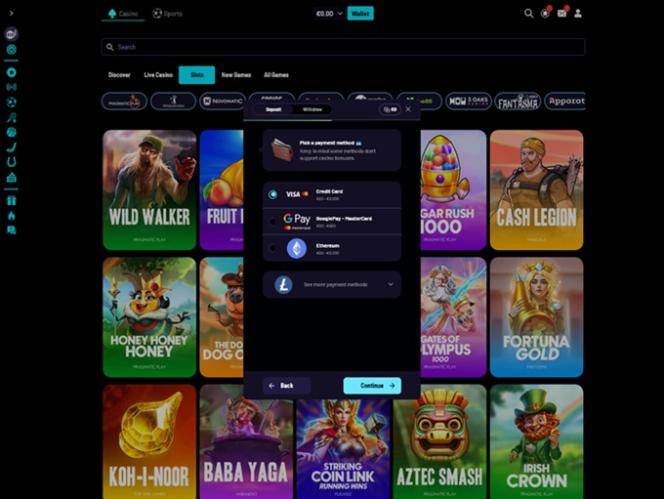
Numerous Canadian players get the Turbo Wins Casino app and immediately disable every notification. That instinct makes sense. Nobody needs a phone buzzing all day. But a blanket mute also prevents the tools that can convert casual play into something more strategic and more rewarding. Our notification system operates more like a quiet croupier: it advises you what you need, when you need it, and nothing else. This guide walks through each layer, from setting up the app on an iPhone or Android device in Toronto, Vancouver, or Halifax, to fine-tuning alerts so they keep useful. We cover device compatibility, permission setup, and the responsible-play safeguards integrated into the controls. By the end, you will understand how to maintain information flowing while keeping your screen calm. You will also see why a well-configured alert can be the difference between overlooking a time-sensitive bonus and securing it with seconds to spare.
Fixing Common Notification Issues
Addressing Missing or Delayed Alerts
When notifications unexpectedly stop, the cause is seldom a server failure. The most frequent culprit is an operating system update that silently resets permission settings. After any significant iOS or Android update, open the Turbo Wins Casino app and check that your toggles are yet active. If the app says alerts are enabled but no alerts appears, check system-level notification settings. On iOS that means Notifications; on Android it means App info. VPN apps can also disrupt the persistent connection required for push delivery. Temporarily disabling the VPN, or adding Turbo Wins to its split-tunneling list, frequently fixes the problem. For delayed alerts, clear the app cache on Android, or offload and reinstall on iOS, then reopen the app to refresh the device token. If you denied permissions before and now want them on, the path differs by platform: iOS Settings > Turbo Wins Casino > Notifications, or Android long-press > App info > Notifications. Send a test alert ahead of you rely on it for time-sensitive promotions.
Hardware Compatibility and Message Delivery
iOS, Android, and Canadian Networks
Alert behavior differs between Apple and Android devices. On iPhones running iOS 16 or later, Focus Modes can manage casino alerts according to what you are doing. You can enable only security notifications during Work Focus. Android offers similar controls through Digital Wellbeing and Do Not Disturb, but settings changes by manufacturer. Samsung Galaxy and Google Pixel users in Canada will find notification channels in system settings. Both platforms offer rich notifications with images and action buttons. We use those selectively for time-sensitive offers. Transmission also hinges on your network. Major Canadian carriers deliver reliable service in cities, but rural players in Alberta, Saskatchewan, or the territories may see delays on slower cellular data. The app keeps undelivered alerts locally and delivers them through when connectivity returns, so a bonus code is not gone in a dead zone. For best results, ensure the app updated, use stable Wi-Fi for time-sensitive reminders, and remove the app from Android battery optimization.
Striking a Balance Between Engagement and Responsible Play
Do Not Disturb and Message Capping
One of the most overlooked features is the do-not-disturb timer, and we made it a priority in settings. Quiet hours allow you to configure a repeating time frame when all non-essential notifications are blocked. A player in Vancouver may choose 11 p.m. to 7 a.m. Pacific. Someone in Halifax may select 10 p.m. to 6 a.m. Atlantic. The app honors local time zones automatically. During the quiet period, alerts are stored and are delivered in one group when the window ends, so you stay informed without a break. Beyond quiet hours, we also cap promotional alerts to a preset maximum of three per day, even if multiple offers become active. That number came straight from Ontario beta testers who told us that more than a handful of daily alerts felt like too much. The app prioritizes the offer most aligned with your play history and queues the others. You can increase or decrease the cap, but the default maintains the app’s visibility without becoming a nuisance.
Personalizing Your Notification Settings

In the Turbo Wins Casino app, the notification dashboard is where the real personalization takes place. We built this interface for detailed control without needing technical skills. Users in Calgary, Ottawa, and Montreal have developed arrangements that feel completely different from one another while remaining easy to control. View the dashboard as a flexible configuration. It can shift with your weekly schedule, travel, or a busy stretch at work. As opposed to turning everything on at once, begin with a low-volume foundation. Then add only the notifications that align with your habits, preferred games, and playing times. This strategy eliminates notification burnout, cuts the desire to uninstall out of irritation, and keeps every ping on your display connected to a clear justification. We recommend the following optimal arrangement:
- Commence with account security warnings and withdrawal notices only. These are low volume and high importance.
- Turn on promotional notifications and configure a quiet hours period, such as 10 p.m. to 9 a.m. Eastern, so offers come during active hours.
- For game-specific notifications, choose only the game types you actually play. Silence sections you never access.
- Activate responsible-play nudges if you desire a gentle alert when a session passes the 60-minute point.
- Dispatch a sample alert from the settings panel to confirm delivery.
Establishing Your Turbo Wins Casino App for Performance
Installing and Access Rights
Installing the app installed right is the cornerstone for dependable alerts. iPhone users in Canada can grab Turbo Wins Casino straight from the Apple App Store. The app requires iOS 15.0 or later, which includes iPhone 7 and newer, and we recommend refreshing your operating system to sidestep permission conflicts. Android players should go to turbowins-casino.ca from their mobile browser to fetch the APK. Casino apps are not offered through Google Play in Canada. Before installing, enable installations from unknown sources in your security settings. Our APK is signed and its checksum is listed on our site for confirmation. When the first permission prompt shows up, tap Allow, then open the app’s internal notification centre right away to personalize what comes through. On iOS, you can later refine banners, sounds, and badges in system Settings. On Android, long-press the app icon, access App info, and control notification categories. A steady Wi-Fi connection during setup assists the device token authenticate correctly.
Comprehending the Varieties of In-App Alerts
Ahead of you adjust a single toggle, it aids to recognize what the app can send turbowins-casino.ca. Alerts are divided into four independent streams. Account and security notices cover login verifications, withdrawal confirmations, and password changes. These are mandatory and cannot be fully silenced. Time-sensitive promotional offers comprise deposit matches, free spins drops, and leaderboard challenges that expire within hours. Game-specific alerts cover tournament start reminders, new slot releases from studios you monitor, and live dealer schedule changes. The responsible-play stream can prompt you with session duration summaries or deposit limit reminders if you opt in. Many Canadian players are astonished these categories do not exist under one master switch. You can keep security alerts on, disable game-specific pings during work hours, and allow promotional notifications only on weekends. Grasping this separation is the first step toward a setup that seems helpful rather than intrusive.
Why Notifications Are Important for Canadian Casino Players
Canadian casino action has moved strongly toward mobile, and speed now counts. Session data from the Turbo Wins Casino app reveals that players who use a selective set of notifications on secure promotions earlier, enter limited-seat tournaments regularly, and respond to live dealer openings before they become full. The objective is not a overloaded lock screen. It is a short signal that an opportunity exists. A push alert similar to “Your Friday reload bonus is live for the next three hours” values your time and enables you choose. In regulated provinces including Ontario, players evaluate multiple operator apps. The one that interacts clearly without annoying builds trust. We favour value over volume, so you do not get duplicate or generic marketing blasts. The system identifies which game categories you truly play and surfaces only relevant updates. That turns your phone into a quiet assistant that helps maximize your entertainment budget.
Using Notifications for Special Canadian Promotions
Turbo Wins Casino hosts promotions tied to Canadian holidays, sports seasons, and payment methods. Notifications are commonly the exclusive way to grab these limited-time offers. When Thanksgiving weekend brings a triple loyalty points window, or when the NHL playoffs trigger a risk-free slot offer, we dispatch a short alert with a direct deep link into the relevant game lobby. These alerts are geo-targeted. A player in Montreal might obtain a promo tied to Interac e-Transfer, while a player in British Columbia views an offer built around a local slot theme. Because these campaigns run for a short time and sometimes have caps, players with promotional notifications on collect rewards faster than those who verify manually. Each Canadian-exclusive alert features the exact terms, the expiry time in your local time zone, and a one-tap path to the offer. This approach respects your intelligence and removes the need to hunt through menus while a countdown clock runs.
Maintaining Security: Spotting Legitimate Turbo Wins Notifications
Preventing Phishing Attempts and Checking Legitimacy
Scammers occasionally imitate casino alerts to obtain login details, so Canadian players ought to know how genuine alerts function. A real Turbo Wins Casino push alert invariably begins inside the app itself. It under no circumstances arrives from a web browser or SMS. Our notifications under no circumstances request you to tap an external link and enter your password. They deep-link into the installed app where you are already verified. We also do not demand your SIN, banking PIN, or full credit card number through a notification. If you encounter a text or email pushing you to redeem a bonus through an external link, delete it and inform it to support. To check any alert, ignore embedded links and launch the app manually. A real offer will be displayed in your dashboard or promotions lobby. A withdrawal notice will match your transaction history. Biometric login offers another layer of protection. We also maintain a running log of sent push notifications on our system status page for cross-checking.
We built the Turbo Wins Casino notification system to serve as a precision tool, not a megaphone. When you set up it properly, granting permissions, setting quiet hours, selecting only the categories that count, and checking authenticity, you transform your phone into a silent partner that surfaces genuine value without robbing attention. Canadian players who follow this guide will realize that alerts develop into a pleasant and reliable part of their routine. They provide timely bonuses, security confirmations, and responsible-play check-ins precisely when they are needed. The system is designed to accommodate provincial time zones, network differences, and individual playing styles. No two players have the same setup. The power sits entirely in your hands. We recommend you to review your settings whenever your schedule, travel patterns, or gaming preferences shift. View the notification dashboard as a upkeep habit rather than a one-time task. If something seems off, our support team can assist you tweak the settings quickly.