File extension “.ACT” audio file is a compressed voice-recording format typically created by small portable MP3/voice devices to store speech-oriented audio clips. If you liked this article in addition to you wish to get more info about ACT file extension generously visit the website. Instead of saving full-bandwidth, uncompressed PCM like a WAV file, an ACT recording usually contains ADPCM-encoded audio at a relatively low sample rate (often around 8 kHz), which keeps file sizes very small but limits quality mainly to telephone-style speech. Because native ACT support is rare on modern systems, the usual approach is to feed the file into dedicated conversion tools or a general-purpose viewer that understands ACT, then convert the recording into widely supported formats like WAV, MP3, or FLAC for long-term storage and everyday playback.
Audio files quietly power most of the sound in our digital lives. Whether you are streaming music, listening to a podcast, sending a quick voice message, or hearing a notification chime, a digital audio file is involved. At the most basic level, an audio file is a digital container that holds a recording of sound. Sound begins as an analog vibration in the air, but a microphone and an analog-to-digital converter transform it into numbers through sampling. Your computer or device measures the sound wave many times per second, storing each measurement as digital values described by sample rate and bit depth. Taken as a whole, the stored values reconstruct the audio that plays through your output device. The job of an audio file is to arrange this numerical information and keep additional details like format, tags, and technical settings.
The history of audio files is closely tied to the rise of digital media and communications. Early digital audio research focused on sending speech efficiently over limited telephone lines and broadcast channels. Institutions including Bell Labs and the standards group known as MPEG played major roles in designing methods to shrink audio data without making it unusable. The breakthrough MP3 codec, developed largely at Fraunhofer IIS, enabled small audio files and reshaped how people collected and shared music. MP3 could dramatically reduce file sizes by discarding audio details that human ears rarely notice, making it practical to store and share huge music libraries. Alongside MP3, we saw WAV for raw audio data on Windows, AIFF for professional and Mac workflows, and AAC rising as a more efficient successor for many online and mobile platforms.
As technology progressed, audio files grew more sophisticated than just basic sound captures. Understanding compression and structure helps make sense of why there are so many file types. Lossless standards like FLAC and ALAC work by reducing redundancy, shrinking the file without throwing away any actual audio information. Lossy formats including MP3, AAC, and Ogg Vorbis deliberately discard details that are less important to human hearing, trading a small quality loss for a big reduction in size. Another key distinction is between container formats and codecs; the codec is the method for compressing and decompressing audio, whereas the container is the outer file that can hold the audio plus additional elements. This is why an MP4 file can hold AAC sound, multiple tracks, and images, and yet some software struggles if it understands the container but not the specific codec used.
The more audio integrated into modern workflows, the more sophisticated and varied the use of audio file formats became. Music producers rely on DAWs where one project can call on multitrack recordings, virtual instruments, and sound libraries, all managed as many separate audio files on disk. Film and television audio often uses formats designed for surround sound, like 5.1 or 7.1 mixes, so engineers can place sounds around the listener in three-dimensional space. To keep gameplay smooth, game developers carefully choose formats that allow fast triggering of sounds while conserving CPU and memory. Spatial audio systems record and reproduce sound as a three-dimensional sphere, helping immersive media feel more natural and convincing.
Outside of entertainment, audio files quietly power many of the services and tools you rely on every day. Every time a speech model improves, it is usually because it has been fed and analyzed through countless hours of recorded audio. When you join a video conference or internet phone call, specialized audio formats keep speech clear even when the connection is unstable. Customer service lines, court reporting, and clinical dictation all generate recordings that must be stored, secured, and sometimes processed by software. Smart home devices and surveillance systems capture not only images but also sound, which is stored as audio streams linked to the footage.
Beyond the waveform itself, audio files often carry descriptive metadata that gives context to what you are hearing. Inside a typical music file, you may find all the information your player uses to organize playlists and display artwork. Because of these tagging standards, your library can be sorted by artist, album, or year instead of forcing you to rely on cryptic file names. When metadata is clean and complete, playlists, recommendations, and search features all become far more useful. Unfortunately, copying and converting audio can sometimes damage tags, which is why a reliable tool for viewing and fixing metadata is extremely valuable.
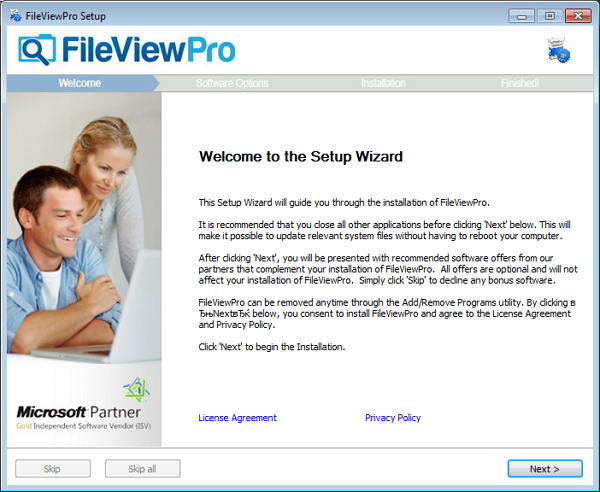
With so many formats, containers, codecs, and specialized uses, compatibility quickly becomes a real-world concern for users. A legacy device or app might recognize the file extension but fail to decode the audio stream inside, leading to errors or silence. Collaborative projects may bundle together WAV, FLAC, AAC, and even proprietary formats, creating confusion for people who do not have the same software setup. Years of downloads and backups often leave people with disorganized archives where some files play, others glitch, and some appear broken. By using FileViewPro, you can quickly preview unfamiliar audio files, inspect their properties, and avoid installing new apps for each extension you encounter. With FileViewPro handling playback and inspection, it becomes much easier to clean up libraries and standardize the formats you work with.
If you are not a specialist, you probably just want to click an audio file and have it work, without worrying about compression schemes or containers. Yet each click on a play button rests on decades of development in signal processing and digital media standards. The evolution of audio files mirrors the rapid shift from simple digital recorders to cloud services, streaming platforms, and mobile apps. Knowing the strengths and limits of different formats makes it easier to pick the right one for archiving, editing, or casual listening. When you pair this awareness with FileViewPro, you gain an easy way to inspect, play, and organize your files while the complex parts stay behind the scenes.
https://shorturl.fm/vGShn