File extension BVF file is an audio-voice file type from the iRock digital recorder developed by Interscape and associated with the irock! 100 Series Voice & Audio Manager software. Rather than acting as a standard open audio file, a .BVF recording stores the device’s own compressed voice data, which the bundled iRock manager software knows how to read, organize, and play. The format is considered low-popularity and effectively obsolete today, appearing mainly in old archives from iRock devices and carrying a “rare/legacy” status in file-extension databases. If your system cannot open BVF directly, your best options are either installing the original iRock manager software or using a universal viewer that understands the BVF signature and can transcode the captured voice audio into widely supported file types such as WAV or MP3.
Audio files are the quiet workhorses of the digital world. Whether you are streaming music, listening to a podcast, sending a quick voice message, or hearing a notification chime, a digital audio file is involved. Fundamentally, an audio file is nothing more than a digital package that stores sound information. That sound starts life as an analog waveform, then is captured by a microphone and converted into numbers through a process called sampling. Your computer or device measures the sound wave many times per second, storing each measurement as digital values described by sample rate and bit depth. When all of those measurements are put together, they rebuild the sound you hear through your speakers or earphones. Beyond the sound data itself, an audio file also holds descriptive information and configuration details so software knows how to play it.
The history of audio files is closely tied to the rise of digital media and communications. In the beginning, most work revolved around compressing voice so it could fit through restricted telephone and broadcast networks. Institutions including Bell Labs and the standards group known as MPEG played major roles in designing methods to shrink audio data without making it unusable. The breakthrough MP3 codec, developed largely at Fraunhofer IIS, enabled small audio files and reshaped how people collected and shared music. Because MP3 strips away less audible parts of the sound, it allowed thousands of tracks to fit on portable players and moved music sharing onto the internet. Other formats came from different ecosystems and needs: Microsoft and IBM introduced WAV for uncompressed audio on Windows, Apple created AIFF for Macintosh, and AAC tied to MPEG-4 eventually became a favorite in streaming and mobile systems due to its efficiency.
Over time, audio files evolved far beyond simple single-track recordings. When you have any concerns relating to in which and also the best way to employ BVF file online tool, you can contact us with our own webpage. Two important ideas explain how most audio formats behave today: compression and structure. Lossless formats such as FLAC or ALAC keep every bit of the original audio while packing it more efficiently, similar to compressing a folder with a zip tool. On the other hand, lossy codecs such as MP3, AAC, and Ogg Vorbis intentionally remove data that listeners are unlikely to notice to save storage and bandwidth. Another key distinction is between container formats and codecs; the codec is the method for compressing and decompressing audio, whereas the container is the outer file that can hold the audio plus additional elements. For example, an MP4 file might contain AAC audio, subtitles, chapters, and artwork, and some players may handle the container but not every codec inside, which explains why compatibility issues appear.
Once audio turned into a core part of daily software and online services, many advanced and specialized uses for audio files emerged. In professional music production, recording sessions are now complex projects instead of simple stereo tracks, and digital audio workstations such as Pro Tools, Logic Pro, and Ableton Live save projects that reference many underlying audio files. Film and television audio often uses formats designed for surround sound, like 5.1 or 7.1 mixes, so engineers can place sounds around the listener in three-dimensional space. In gaming, audio files must be optimized for low latency so effects trigger instantly; many game engines rely on tailored or proprietary formats to balance audio quality with memory and performance demands. Newer areas such as virtual reality and augmented reality use spatial audio formats like Ambisonics, which capture a full sound field around the listener instead of just left and right channels.
In non-entertainment settings, audio files underpin technologies that many people use without realizing it. Voice assistants and speech recognition systems are trained on massive collections of recorded speech stored as audio files. VoIP calls and online meetings rely on real-time audio streaming using codecs tuned for low latency and resilience to network problems. Customer service lines, court reporting, and clinical dictation all generate recordings that must be stored, secured, and sometimes processed by software. Security cameras, smart doorbells, and baby monitors also create audio alongside video, generating files that can be reviewed, shared, or used as evidence.
A huge amount of practical value comes not just from the audio data but from the tags attached to it. Modern formats allow details like song title, artist, album, track number, release year, and even lyrics and cover art to be embedded directly into the file. Because of these tagging standards, your library can be sorted by artist, album, or year instead of forcing you to rely on cryptic file names. Accurate tags help professionals manage catalogs and rights, and they help casual users find the song they want without digging through folders. Over years of use, libraries develop missing artwork, wrong titles, and broken tags, making a dedicated viewer and editor an essential part of audio management.
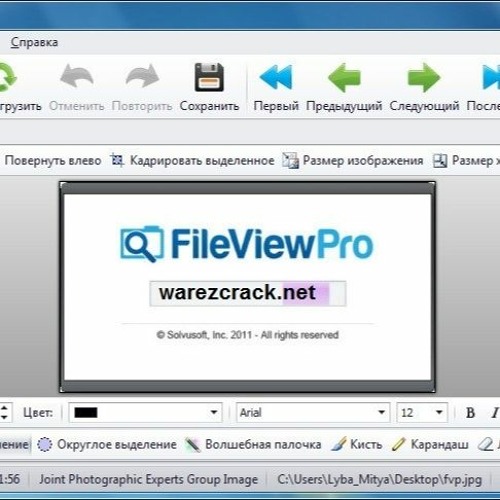
With so many formats, containers, codecs, and specialized uses, compatibility quickly becomes a real-world concern for users. Older media players may not understand newer codecs, and some mobile devices will not accept uncompressed studio files that are too large or unsupported. Shared audio folders for teams can contain a mix of studio masters, preview clips, and compressed exports, all using different approaches to encoding. Years of downloads and backups often leave people with disorganized archives where some files play, others glitch, and some appear broken. This is where a dedicated tool such as FileViewPro becomes especially useful, because it is designed to recognize and open a wide range of audio file types in one place. Instead of juggling multiple programs, you can use FileViewPro to check unknown files, view their metadata, and often convert them into more convenient or standard formats for your everyday workflow.
For users who are not audio engineers but depend on sound every day, the goal is simplicity: you want your files to open, play, and behave predictably. Behind that simple experience is a long history of research, standards, and innovation that shaped the audio files we use today. The evolution of audio files mirrors the rapid shift from simple digital recorders to cloud services, streaming platforms, and mobile apps. Knowing the strengths and limits of different formats makes it easier to pick the right one for archiving, editing, or casual listening. Combined with a versatile tool like FileViewPro, that understanding lets you take control of your audio collection, focus on what you want to hear, and let the software handle the technical details in the background.
Thanks for any other informative blog. Where else could I am getting that kind of information written in such an ideal way? I have a project that I am simply now running on, and I have been at the glance out for such info.
No matter if some one searches for his required thing, so he/she wants to be available that in detail, thus that thing is maintained over here.