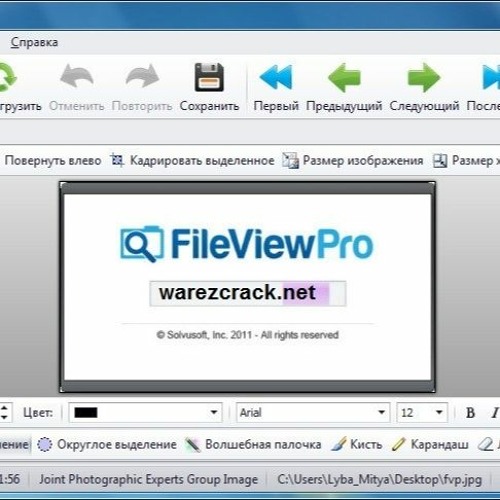
The .ZAR file extension is typically a compressed package type that several programs share, especially Zemax OpticStudio’s archive for lens-design projects. Within the Zemax OpticStudio ecosystem, .ZAR serves as a project archive that wraps the optical model and all required configuration and analysis files into one portable container. Modern workflows use .ZAR as the extension for ZArchive, a zstd-based archive format that packs directories—such as game installations—into a single file while preserving efficient random access for tools like the Xenia emulator. Historically, .ZAR has also appeared as a Zip-Archiv format using PKWARE DCL Implode compression and in certain game-specific archives that store zlib-compressed resources, so not every .ZAR file follows the same structure or compression scheme. In practice, a .ZAR file is always an application-specific archive whose contents only make sense once they are parsed and decompressed by compatible tools. For everyday users, a multi-format utility such as FileViewPro helps by recognizing the .ZAR extension, probing whether it looks like a Zemax OpticStudio archive, a ZArchive/zstd container, or another variant, and—where supported—letting you open, inspect, or extract the files inside without having to guess which specialized program to try first.
In modern computing, compressed files act as special file containers that shrink data so it is faster to move, store, and share. Behind the scenes, they function by analyzing patterns and redundancy in data and then representing that information in a more efficient way. As a result, your storage space stretches further and your transfers are completed with less waiting time. A compressed file can contain a single document, an entire folder tree, or even complex software installations, condensed into one archive that takes up less space than the separate files would. Because of this versatility, compressed formats appear everywhere, from software downloads and backups to email attachments, game resources, and long-term data archives.
The story of compressed files tracks the progress of data compression research and the rise of everyday desktop computing. During the 1970s–1980s, pioneers like Abraham Lempel and Jacob Ziv developed famous schemes like LZ77 and LZ78, demonstrating that redundancy could be removed without permanently losing information. From those early designs came mainstream techniques such as LZW and DEFLATE, now built into a wide range of common archive types. Later, in the PC era, programmers including Phil Katz turned compression into something practical for home users through utilities like PKZIP, which popularized the ZIP format and established a simple way to bundle and shrink files on early systems. If you have any questions concerning exactly where and how to use ZAR file online tool, you can get hold of us at our own web site. Over time, other developers and companies added new formats that focused on higher compression ratios, stronger encryption, or better error recovery, but the basic idea stayed the same: take one or more files, apply an algorithm, and produce a smaller archive that is easier to move and manage.
On a technical level, compressed files rely on one or more algorithms that are usually described as lossless or lossy. Lossless approaches keep every single bit of the original, which is critical when you are dealing with applications, spreadsheets, code, or records. That is why traditional archive formats prioritize lossless compression: when you extract them, your content comes back unchanged. Lossy compression, by contrast, deliberately discards information that is considered less important, especially in media like audio, video, and certain images. Whether it is a generic archive or a specialized media format, the underlying goal remains to squeeze out wasted space while keeping the content useful. Many compressed archives also combine both the act of shrinking the data and packaging multiple files and folders into one unit, turning compression into a tool for both efficiency and organization.
As computers and networks have become faster and more capable, the advanced uses of compressed files have expanded far beyond simple disk savings. One major use case is software delivery: installers and app bundles are often compressed so users can get them faster and then expand them locally. Large content libraries are typically stored in compressed archives so that they occupy less disk space and can be patched or replaced without touching the rest of the installation. For administrators and DevOps teams, compression is tightly woven into tasks like archiving server logs, packaging build artifacts, and moving configuration bundles between machines. In the cloud, compression plays a quiet but crucial role in keeping large-scale storage and data transfer efficient enough to be affordable and responsive.
Another important dimension of compressed files is their role in archiving, long-term storage, and security. By shrinking data, they make it feasible to store large email archives, research collections, project histories, and media libraries on external drives, tape systems, or cloud backup services. To guard against bit rot or transfer errors, compressed archives often embed mechanisms to confirm that everything inside is still valid. In addition, many archive tools allow users to encrypt their compressed files, turning them into compact, password-protected containers. This combination of compactness, structure, and optional security has made compressed files a natural home for financial records, contracts, proprietary code, and other confidential material.
For everyday computer users, compressed files also simplify workflows and collaboration. Instead of sending dozens of separate attachments, you can place them in a folder, compress it, and share a single smaller archive that is faster to upload and download. Because the layout is kept inside the archive, everyone sees the same structure after extraction. Backup tools frequently use compressed archives so they can capture snapshots of entire folders or systems efficiently. Even users who never think about compression explicitly still benefit from it every time they download, install, or restore something.
Because so many different compression formats exist, each with its own structure and sometimes its own features, users often need a straightforward way to open and work with them without worrying about which tool created the file. A utility like FileViewPro helps solve this problem by recognizing a wide range of compressed file types and presenting their contents in a clear, user-friendly interface. With one consistent workflow for many different formats, FileViewPro reduces the risk of errors and saves time when handling compressed archives. In everyday use, FileViewPro acts as the bridge between sophisticated compression algorithms and a straightforward, familiar viewing experience.
In the future, compression technology will keep changing alongside faster hardware and new ways of working with data. Newer compression methods are being tuned for today’s needs, from huge scientific datasets to interactive online experiences. At the same time, the everyday purpose of compressed files remains familiar: we still need to move large information through limited connections and keep our devices from filling up too quickly. In every scenario, from home PCs to enterprise servers, compressed files make data easier to move, store, and protect. By pairing advanced compression formats with an accessible viewer like FileViewPro, the benefits of smaller, smarter files become available to every user, not just technical experts.