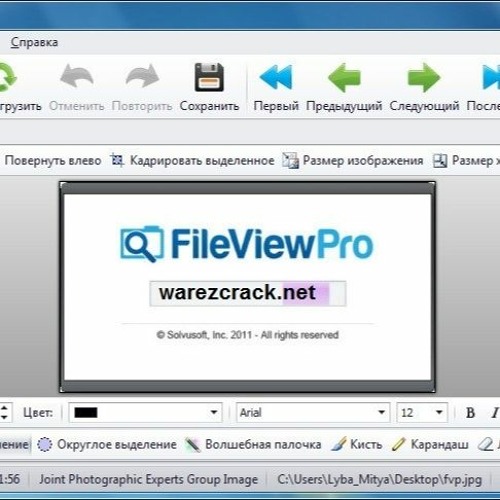
A .z09 segment is most often part 9 of a split, multi-volume compressed archive created by ZIP- or RAR-compatible tools. With ZIP-based splitting, .Z09 is just one of several numbered chunks that together make up a single logical archive, coordinated by the main .zip part. Some file catalogs also describe .Z09 as a split multi-volume RAR compressed file, where the same idea applies: every numbered volume is required to reconstruct the complete RAR archive and extract its contents. On its own, .Z09 is not meant to be opened in isolation, since the archive’s directory information and other data blocks live across multiple parts, so proper extraction requires that every segment be available and processed together by a compatible compression tool. In practice, letting FileViewPro analyze a .Z09 file can quickly reveal that it is part of a segmented archive, show which additional pieces are needed, and, when all volumes are present, reconstruct and unpack the data while hiding the low-level details of how the individual segments are stitched together
Compressed files are efficient storage bundles that minimize file size without changing what the files actually contain. Fundamentally, they operate by detecting repetition and structure in the original files and encoding them using fewer bits. As a result, your storage space stretches further and your transfers are completed with less waiting time. Whether it is one spreadsheet or a full collection of mixed files and subfolders, everything can be bundled into a single compressed package, condensed into one archive that takes up less space than the separate files would. Because of this versatility, compressed formats appear everywhere, from software downloads and backups to email attachments, game resources, and long-term data archives.
Compressed archives only became practical after key breakthroughs in compression theory and widespread adoption of home and office PCs. Early on, academics including Lempel and Ziv created methods such as LZ77 and LZ78, demonstrating that redundancy could be removed without permanently losing information. These ideas eventually led to widely used methods like LZW and DEFLATE, which power many popular compression formats today. As DOS and early Windows spread, utilities such as PKZIP, created by developers like Phil Katz, made compression part of normal computer use, which popularized the ZIP format and established a simple way to bundle and shrink files on early systems. Over time, other developers and companies added new formats that focused on higher compression ratios, stronger encryption, or better error recovery, but the basic idea stayed the same: take one or more files, apply an algorithm, and produce a smaller archive that is easier to move and manage.
Under the hood, archives use compression schemes that are typically categorized as either lossless or lossy. With lossless compression, nothing is permanently thrown away, so it is safe for any information where accuracy matters. Formats such as ZIP, 7z, and many archive-style containers use lossless techniques to ensure that files can be restored exactly as they were. Lossy compression, by contrast, deliberately discards information that is considered less important, especially in media like audio, video, and certain images. Even when the formats look different on the surface, all compression is still about capturing structure and similarity so files occupy fewer bytes. Many compressed archives also combine both the act of shrinking the data and packaging multiple files and folders into one unit, turning compression into a tool for both efficiency and organization.
As computers and networks have become faster and more capable, the advanced uses of compressed files have expanded far beyond simple disk savings. One major use case is software delivery: installers and app bundles are often compressed so users can get them faster and then expand them locally. Game developers bundle textures, sounds, levels, and configuration files into compressed assets to reduce load times and save storage space while keeping updates manageable. For administrators and DevOps teams, compression is tightly woven into tasks like archiving server logs, packaging build artifacts, and moving configuration bundles between machines. Distributed systems and cloud platforms continuously compress data behind the scenes, helping keep performance high and bills under control.
Another important dimension of compressed files is their role in archiving, long-term storage, and security. Because they reduce volume, compressed archives allow organizations and individuals to keep years of documents, images, and logs in a manageable footprint. Many archive formats include integrity checks so users can verify whether the contents are still intact or have been corrupted over time. In addition, many archive tools allow users to encrypt their compressed files, turning them into compact, password-protected containers. Thanks to these features, compressed archives are now routinely used to safeguard business data, personal information, and intellectual property.
From a user’s point of view, compressed archives make many routine tasks smoother and less error-prone. A single compressed package keeps related files together, which is often much tidier than sending them individually. Archives preserve directory layouts, which prevents confusion about where each file belongs when someone else opens the package. Some programs even rely on compression in the background for troubleshooting, creating ready-to-send archives of logs and configuration data. For more information in regards to Z09 file application stop by our web site. Learning how to open, inspect, and extract compressed archives has therefore become a basic computer skill, not just something for advanced users or IT professionals.
With numerous formats in the wild, it is common for users to run into archives they have never seen before and are not sure how to open. This is where an all-in-one viewer such as FileViewPro becomes especially valuable, because it is designed to understand many different compressed formats. Rather than installing multiple separate decompression tools, users can rely on a single solution that lets them quickly see what is inside, extract only what they need, and avoid damaging or misplacing important files. Whether you are a casual user, a power user, or somewhere in between, tools like FileViewPro take the complexity out of dealing with compressed files so you can focus on the content rather than the format.
In the future, compression technology will keep changing alongside faster hardware and new ways of working with data. Researchers and developers are constantly working on algorithms that deliver stronger compression with lower processing overhead, which is crucial for streaming, gaming, and large-scale cloud workloads. At the same time, the everyday purpose of compressed files remains familiar: we still need to move large information through limited connections and keep our devices from filling up too quickly. From personal use to professional environments, compressed archives quietly support tasks that would otherwise be slow, awkward, or expensive. With the help of FileViewPro to open, explore, and extract these archives, users can take full advantage of compression without needing to understand the complex mathematics behind it, turning a powerful technical concept into a simple, everyday tool.
Good day! Do you know if they make any plugins to help with SEO? I’m trying to get my blog to rank for some targeted keywords but I’m not seeing very good results. If you know of any please share. Thank you!