A .Z09 file is most often one volume in a segmented backup or distribution set rather than a standalone compressed file. Most commonly it appears in split ZIP sets, with each numbered .z0N file carrying part of the payload and the final .zip file containing the overall table of contents. In other environments, .Z09 is documented as a RAR-style volume, meaning that it participates in a multi-part RAR set that must be reassembled before the data can be used. On its own, .Z09 is not meant to be opened in isolation, since the archive’s directory information and other data blocks live across multiple parts, so proper extraction requires that every segment be available and processed together by a compatible compression tool. In practice, letting FileViewPro analyze a .Z09 file can quickly reveal that it is part of a segmented archive, show which additional pieces are needed, and, when all volumes are present, reconstruct and unpack the data while hiding the low-level details of how the individual segments are stitched together
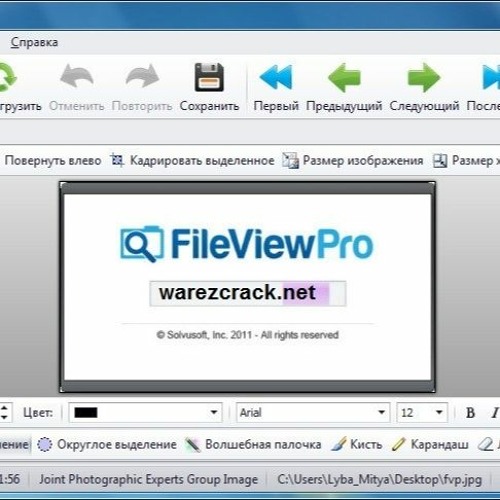
Compressed files are efficient storage bundles that minimize file size without changing what the files actually contain. Behind the scenes, they function by looking for repeating patterns and unnecessary duplication so the same information can be written in a shorter form. As a result, your storage space stretches further and your transfers are completed with less waiting time. One compressed archive might hold just one file, but it can just as easily wrap entire project folders, media libraries, or application setups, combined into a single compact unit that is noticeably smaller than the source material. That is why almost every workflow, from simple file sharing to professional data handling, relies on compressed files somewhere along the way.
The history of compressed files is closely tied to the evolution of data compression algorithms and the growth of personal computers. Early on, academics including Lempel and Ziv created methods such as LZ77 and LZ78, proving that you could spot repetition in a data stream, store it in a shorter form, and still rebuild every bit exactly. From those early designs came mainstream techniques such as LZW and DEFLATE, now built into a wide range of common archive types. As DOS and early Windows spread, utilities such as PKZIP, created by developers like Phil Katz, made compression part of normal computer use, effectively standardizing ZIP archives as a convenient way to package and compress data. Since then, many alternative archive types have appeared, each offering its own balance of speed, compression strength, and security features, yet all of them still revolve around the same core principle of compact packaging.
From a technical perspective, compression methods fall broadly into two families: lossless and lossy. If you have any questions relating to where and how you can use Z09 format, you can call us at our page. Lossless compression preserves the original data bit-for-bit, making it essential for documents, software, databases, and configuration files. Formats such as ZIP, 7z, and many archive-style containers use lossless techniques to ensure that files can be restored exactly as they were. On the other hand, lossy methods trade some detail for dramatic size savings, most commonly in music, film, and visual content. Although we often treat a compressed archive and a compressed video or song as different things, they rest on the same basic idea of spotting patterns, removing redundancy, and encoding everything efficiently. Beyond just smaller size, archives also act as containers that protect folder structures and metadata in one place.
Improved hardware and connectivity did not make compression obsolete; instead, they turned archives into essential building blocks in more complex workflows. Today, many programs reach end users as compressed archives that are extracted during installation. Game developers bundle textures, sounds, levels, and configuration files into compressed assets to reduce load times and save storage space while keeping updates manageable. In system administration and DevOps, compressed archives are indispensable for log rotation, backups, and automated deployment workflows. Distributed systems and cloud platforms continuously compress data behind the scenes, helping keep performance high and bills under control.
Compressed files are equally valuable when you are preserving information for the long haul or protecting it from prying eyes. By shrinking data, they make it feasible to store large email archives, research collections, project histories, and media libraries on external drives, tape systems, or cloud backup services. To guard against bit rot or transfer errors, compressed archives often embed mechanisms to confirm that everything inside is still valid. When privacy is a concern, encrypted compressed archives offer an extra layer of defense on top of size reduction. This combination of compactness, structure, and optional security has made compressed files a natural home for financial records, contracts, proprietary code, and other confidential material.
From a user’s point of view, compressed archives make many routine tasks smoother and less error-prone. Rather than attaching every file one by one, you can pack them into one archive and send just that, cutting down on clutter and transmission time. Because the layout is kept inside the archive, everyone sees the same structure after extraction. Backup tools frequently use compressed archives so they can capture snapshots of entire folders or systems efficiently. Even users who never think about compression explicitly still benefit from it every time they download, install, or restore something.
The variety of archive extensions can easily become confusing if you try to match each one with a separate application. Instead of guessing which program to use, you can rely on FileViewPro to identify and open the archive for you. Rather than installing multiple separate decompression tools, users can rely on a single solution that lets them quickly see what is inside, extract only what they need, and avoid damaging or misplacing important files. Whether you are a casual user, a power user, or somewhere in between, tools like FileViewPro take the complexity out of dealing with compressed files so you can focus on the content rather than the format.
Looking ahead, compressed files will continue to adapt as storage devices, networks, and user expectations evolve. Newer compression methods are being tuned for today’s needs, from huge scientific datasets to interactive online experiences. Despite all the innovation, the core goal has not changed; it is still about making big things smaller and more manageable. From personal use to professional environments, compressed archives quietly support tasks that would otherwise be slow, awkward, or expensive. By pairing advanced compression formats with an accessible viewer like FileViewPro, the benefits of smaller, smarter files become available to every user, not just technical experts.
A person essentially help to make significantly articles I might state. This is the first time I frequented your web page and up to now? I amazed with the analysis you made to create this actual post extraordinary. Magnificent activity!
Good day! I just would like to offer you a huge thumbs up for your excellent information you’ve got here on this post. I will be coming back to your blog for more soon.
Pretty section of content. I just stumbled upon your site and in accession capital to assert that I acquire actually enjoyed account your blog posts. Any way I’ll be subscribing for your feeds and even I success you get right of entry to consistently rapidly.
Its such as you learn my thoughts! You seem to grasp a lot approximately this, like you wrote the e-book in it or something. I believe that you could do with a few p.c. to pressure the message house a little bit, however instead of that, that is wonderful blog. An excellent read. I will definitely be back.