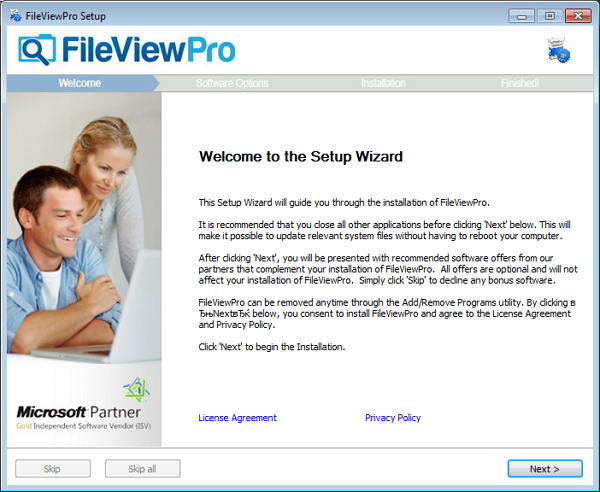
A .Z09 file is typically one volume in a segmented backup or distribution set rather than a standalone compressed file. In many cases it belongs to a split ZIP archive, where files are divided into pieces named .z01, .z02 through .z09 and finally .zip, each holding a chunk of the compressed data while the last part stores the central directory that ties the archive together. Some file catalogs also describe .Z09 as a split multi-volume RAR compressed file, where the same idea applies: every numbered volume is required to reconstruct the complete RAR archive and extract its contents. The correct workflow is to gather all parts, then let your archive manager open the primary part and automatically read through .z01 to .z09 as it rebuilds the original files. For users who are unsure what a particular .Z09 file belongs to, a multi-format utility such as FileViewPro can help by recognizing the extension, determining whether it behaves like a split ZIP or split RAR volume, and—once the full set of segments is accessible—guiding you through browsing and extracting the contents without manual trial-and-error across different programs
In modern computing, compressed files act as digital containers designed to make data smaller, more portable, and easier to manage. At their core, they work by looking for repeating patterns and unnecessary duplication so the same information can be written in a shorter form. This allows users to pack more into the same disk space or send large sets of files faster over the internet. A compressed file can contain a single document, an entire folder tree, or even complex software installations, condensed into one archive that takes up less space than the separate files would. If you have any inquiries relating to where by and how to use Z09 file online tool, you can get hold of us at our webpage. This flexibility explains why compressed files show up in so many places, including installers, system backups, shared folders, and large media collections.
The history of compressed files is closely tied to the evolution of data compression algorithms and the growth of personal computers. In the 1970s and 1980s, researchers such as Abraham Lempel and Jacob Ziv introduced the foundational LZ77 and LZ78 algorithms, which showed that repeating patterns in data could be encoded more compactly and reconstructed perfectly later. Those concepts evolved into well-known algorithms like LZW and DEFLATE that sit behind the scenes of many familiar compressed files. In the late 1980s and early 1990s, developers like Phil Katz helped bring file compression to everyday users with tools such as PKZIP, effectively standardizing ZIP archives as a convenient way to package and compress data. Since then, many alternative archive types have appeared, each offering its own balance of speed, compression strength, and security features, yet all of them still revolve around the same core principle of compact packaging.
On a technical level, compressed files rely on one or more algorithms that are usually described as lossless or lossy. Lossless approaches keep every single bit of the original, which is critical when you are dealing with applications, spreadsheets, code, or records. That is why traditional archive formats prioritize lossless compression: when you extract them, your content comes back unchanged. Lossy compression, by contrast, deliberately discards information that is considered less important, especially in media like audio, video, and certain images. Even when the formats look different on the surface, all compression is still about capturing structure and similarity so files occupy fewer bytes. In most archive formats, compression is tightly integrated with packaging, so you can both reduce size and preserve a complete directory layout inside a single file.
As computers and networks have become faster and more capable, the advanced uses of compressed files have expanded far beyond simple disk savings. One major use case is software delivery: installers and app bundles are often compressed so users can get them faster and then expand them locally. Large content libraries are typically stored in compressed archives so that they occupy less disk space and can be patched or replaced without touching the rest of the installation. In system administration and DevOps, compressed archives are indispensable for log rotation, backups, and automated deployment workflows. Distributed systems and cloud platforms continuously compress data behind the scenes, helping keep performance high and bills under control.
Compressed files are equally valuable when you are preserving information for the long haul or protecting it from prying eyes. With compression, large historical datasets and personal collections that would otherwise be unwieldy become easy to back up and move. A number of archive types support built-in checksums and recovery records that help detect errors and, in some cases, repair damaged data. In addition, many archive tools allow users to encrypt their compressed files, turning them into compact, password-protected containers. The result is that a single compressed file can act as both a vault and a space-saver for important content.
On the practical side, compressed files remove a lot of friction from sharing and organizing information. A single compressed package keeps related files together, which is often much tidier than sending them individually. When collaborating, this also ensures that the original folder structure and filenames remain intact, so nothing is lost or reordered accidentally. Backup tools frequently use compressed archives so they can capture snapshots of entire folders or systems efficiently. Learning how to open, inspect, and extract compressed archives has therefore become a basic computer skill, not just something for advanced users or IT professionals.
With numerous formats in the wild, it is common for users to run into archives they have never seen before and are not sure how to open. A utility like FileViewPro helps solve this problem by recognizing a wide range of compressed file types and presenting their contents in a clear, user-friendly interface. Rather than installing multiple separate decompression tools, users can rely on a single solution that lets them quickly see what is inside, extract only what they need, and avoid damaging or misplacing important files. For anyone who regularly downloads software, works with shared projects, or receives large bundles of documents, having a dependable way to open and manage compressed files through FileViewPro turns compression technology into something practical, convenient, and easy to trust.
Looking ahead, compressed files will continue to adapt as storage devices, networks, and user expectations evolve. Ongoing research aims to squeeze more out of data while still keeping compression and decompression fast enough for real-time applications. At the same time, the everyday purpose of compressed files remains familiar: we still need to move large information through limited connections and keep our devices from filling up too quickly. Whether you are emailing a handful of photos, archiving years of work, distributing software, or backing up business systems, compressed files continue to do the heavy lifting in the background. With the help of FileViewPro to open, explore, and extract these archives, users can take full advantage of compression without needing to understand the complex mathematics behind it, turning a powerful technical concept into a simple, everyday tool.
Nice blog! Is your theme custom made or did you download it from somewhere? A design like yours with a few simple tweeks would really make my blog jump out. Please let me know where you got your theme. With thanks
You actually make it seem so easy with your presentation but I find this matter to be actually something which I think I would never understand. It seems too complex and very broad for me. I am looking forward for your next post, I’ll try to get the hang of it!
At this time I am going away to do my breakfast, after having my breakfast coming yet again to read additional news.
Hi there, I think your website could possibly be having browser compatibility problems. When I take a look at your web site in Safari, it looks fine however, if opening in I.E., it’s got some overlapping issues. I simply wanted to give you a quick heads up! Aside from that, fantastic blog!